
What MCP Means for Recruiters

Updated: Oct 2
Most of what's been written about MCP Integrations for recruiters focuses on one idea: you can now ask an AI assistant questions about your database. That's useful. But it's only half the story.
The part that actually changes how a desk runs is what happens after the AI does the work. Does the shortlist land in your ATS, ranked and ready to review? Or does it end up in a chat window, then a spreadsheet, then a copy-and-paste session into LinkedIn Recruiter and back again?
That round trip is where we've focused our MCP work at TATracker. Here's what MCP is, why the round trip matters, and how to tell whether an MCP integration will genuinely save your team time.
MCP in plain English
MCP (Model Context Protocol) is an open standard that lets AI assistants like Claude and ChatGPT connect to the software you already use. Anthropic introduced it in late 2024, and it has quickly become the common way AI tools plug into business systems.
The simplest way to think about it: MCP hands an AI assistant a list of things it's allowed to do inside a system. Look up a candidate. Search client notes. Add a candidate to a search project. The assistant can then chain those actions together to finish a task you describe in a sentence.
Two things make this different from the AI features you may already have in your tools:
It works across systems. The same assistant can read your ATS, your inbox, your calendar and your AI note taker's meeting notes in one conversation.
It works on your real data, as you. You sign in with your own account, so the assistant sees what you're allowed to see and nothing more.
The real win is where the work ends up
Here's a workflow we heard from recruiters again and again before we built our MCP server:
Paste a job description into an AI tool and ask for candidate ideas.
Copy the results into a Google Sheet.
Look each person up in LinkedIn Recruiter.
Re-enter the good ones into the ATS by hand.
The AI part took two minutes. Everything around it took an afternoon, and half the context was lost along the way.
With TATracker connected to Claude, the same request ends somewhere useful. Hand Claude a spec and it can source candidates and load them straight into a TATracker search project, ranked, with the reasoning attached, ready for you to review. No spreadsheet in the middle.
That's the test we'd apply to any MCP integration, including ours: does the AI's output land back in your system of record, where your team, your reporting and your client history can use it? If it doesn't, you've added a faster step to a slow process, not fixed the process.
Start with the spec, not the job description
A job description is written to attract applicants. It rarely tells you who will actually get hired.
The real brief lives elsewhere: in the intake call where the hiring manager said the last person failed because they'd never worked in a founder-led business, or that anyone from a certain competitor is a non-starter, or that the "required" degree doesn't really matter. Those details get written in notes. They almost never make it into the JD, and they're exactly what an AI needs to do good work.
TATracker's MCP connection gives Claude and ChatGPT access to the full spec for a search, not just the posting:
Structured spec fields, such as must-haves, nice-to-haves, compensation, location and target companies.
Context notes from hiring manager conversations, including feedback on candidates already presented.
With both in hand, Claude can do more than match keywords. It can define the ideal candidate profile in plain terms, suggest where to look (which companies, titles and adjacent industries are likely to produce that person), and then source and rank against that profile rather than against the JD.
The spec also becomes a living source of truth. When a hiring manager pushes back on a shortlist, you log the feedback on the spec, and the next search reflects it. No one has to remember to re-brief the AI. The same spec can then be used to screen inbound applicants and outreach replies, which is where the next point comes in.
MCP as a bridge to other tools you use
Traditional integrations are fixed pipes. A vendor builds a connection between two systems, sets the rules, and everything flows through whether you want it or not. Connect a job board and every applicant lands in your database. Connect an outreach tool and every prospect it touches comes along too. The result is a database that grows fast and gets noisier every month.
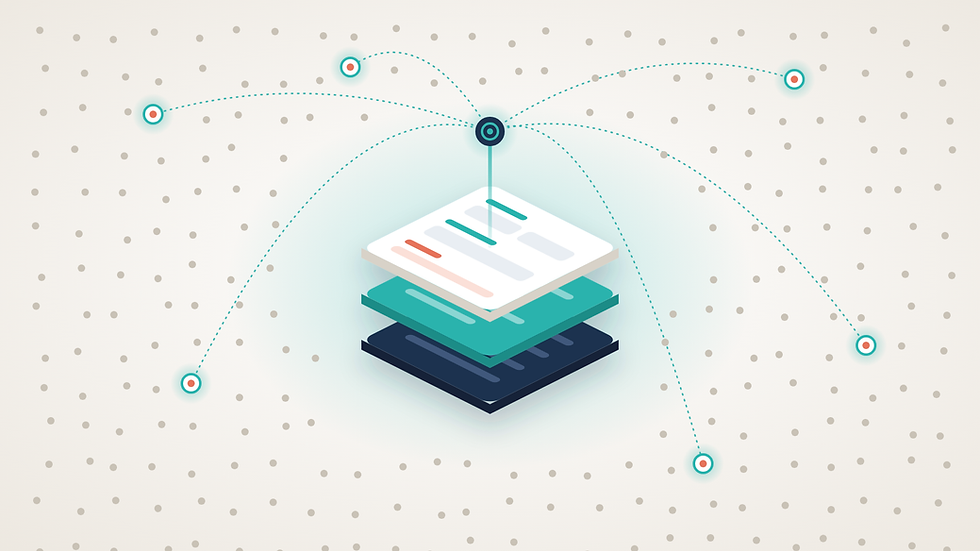
MCP changes who is in control. Instead of a pipe that someone else configured, the AI sits between your tools and works to your instructions. You decide, in the moment, what comes into TATracker, what stays out, and where it goes.
An example:
Top-of-funnel outreach. You've run a sourcing campaign in a tool like Pin or Juicebox. Rather than syncing everyone, you tell Claude: "Add only the people who replied, or who meet these three criteria, to the search project for this role, with a note on where they came from."
Cleaner records from the start. Before adding anyone, ChatGPT can check whether they're already in TATracker and update the existing record instead of creating a duplicate.
The bigger shift is that these decisions become repeatable. Once you've landed on a rule that works, you can save it as a skill: a set of instructions ChatGPT follows every time. For example: "When I bring in candidates from an outreach campaign, check for duplicates, add only those who meet the role's must-haves, put them in the matching search project, and tag the source." Your whole team can then run the same process the same way, without anyone building or maintaining a custom integration.
In short, integrations used to decide what entered your system. Now your team does.
What this looks like in a normal week
A few ways recruiters and firm leaders can use TATracker and Claude or ChatGPT together:
Building a slate from a spec. "Here's the job description for a VP Finance search. Find people who fit and put them in a new search project, ranked."
Finding more people like your best placement. Share a reference profile and ask for others with a similar path.
Getting the real story out of client notes. "Pull every lost-deal note from the last six months and tell me what keeps coming up." Patterns that hide across hundreds of notes show up in a minute.
Pre-call prep from every source at once. Combine the client's history in TATracker with recent emails and the transcript from your last meeting, so you walk in knowing what was promised.
Building Workflows. Hand ChatGPT a Job Description and ask it to build a Workflow with automated emails and call tasks tailored to the ideal candidate profile.
One detail that matters more than it sounds: the connection can remember how your firm works. If your team calls searches "projects," or your lost-deal notes often cite visa issues, Claude can save that as shared team knowledge. The next person doesn't have to explain it again. Personal preferences can stay private to you.
The point isn't that any one of these is impossible today. It's that none of them require an export, a report request or a second tab.
What to check before you rely on it
MCP is powerful, and it's still new. Whichever vendor you use, these are the questions worth asking:
Does the AI act as me? It should use your own login and your own permissions, not a shared account that can see everything.
Which actions change data? Reading notes is low risk. Adding candidates, moving stages or editing records is not. You want to review before anything important changes.
How clean is my data? If your database is full of duplicates and stale records, the AI will reason over them with confidence. MCP rewards firms that keep their house in order.
Can I see the reasoning? Ask why a candidate was ranked first. Good output shows its work, and you stay accountable for the call.
Where to start
Don't try to rebuild your process on day one. Pick one job your team does every week that involves copying data between tools. For most firms that's sourcing or pre-call prep. Run it through Claude with TATracker connected for a week and see how much time comes back. Then add the next one.
AI will keep getting better at the thinking part of recruiting. The firms that benefit most will be the ones whose systems can keep up, where good work gets captured, shared and built on instead of lost in a chat window.
If you're a TATracker customer, you can connect Claude in 2 minutes from its connector settings. If you're not on TATracker yet and want to see the round trip in action, book a demo with our CRO, Jack Shirley, here: https://cal.com/jackshirley/30min


Comments