
TATracker Specs: The AI-Ready Source of Truth for Smarter Sourcing

In short: TATracker is an applicant tracking system (ATS) and recruiting CRM. Its new Specs feature gives every search a structured profile of the role. AI tools like Claude, ChatGPT, and Gemini can read and update that profile through an MCP connection, then use it to source candidates and write outreach that match what the client actually wants.
Every search starts with the same handful of facts: who the hiring manager is, what the comp looks like, where the role sits, which companies to target, and what the client won't budge on. Those facts drive everything that follows. Yet in most recruiting firms they end up scattered across a job description PDF, a few call notes, and whatever someone remembered to type into a description field.
Specs fixes that. It gives every Search, Job Posting, and Sales Pipeline in TATracker one structured place for the information that defines the role. Together with your notes and emails, it becomes the single source of truth for the search.
And because TATracker connects to AI tools like Claude, ChatGPT, and Gemini, that source of truth does real work. Your AI assistant can read it, keep it up to date, and use it to source candidates who match what the client actually wants.
What are Specs?
Specs is a panel that sits alongside Documents, Notes, and Workflows on a record. Instead of one long block of free text, it's organized into sections and fields: compensation, location, hiring team, must-haves, nice-to-haves, target companies, and whatever else matters to your process.
Specs describe the role, not any single candidate. That makes them the shared reference point for everyone working the search. A recruiter picking up a search midstream, or a researcher building a target list, can see the essentials at a glance instead of digging through files and threads.
Because the data is structured, it's also consistent. Comp is always in the comp field. The hiring manager is linked to a real contact record. That consistency is what makes Specs useful beyond a single search.
A single source of truth for AI-powered sourcing
The biggest payoff from Specs is better sourcing. A search's ideal candidate profile rarely stays fixed. The hiring manager pushes back on the first slate, the client drops a requirement, or a new target company comes up on a call. In most firms those shifts live in someone's head or inbox, and the sourcing never quite catches up.
In TATracker, all of it lives with the search:
Specs hold the structured profile: comp, location, must-haves, target companies.
Notes hold what you hear from the hiring manager along the way, from feedback on candidates to changes in priorities.
Emails with the hiring manager, linked through their contact record, capture the back-and-forth with the client.
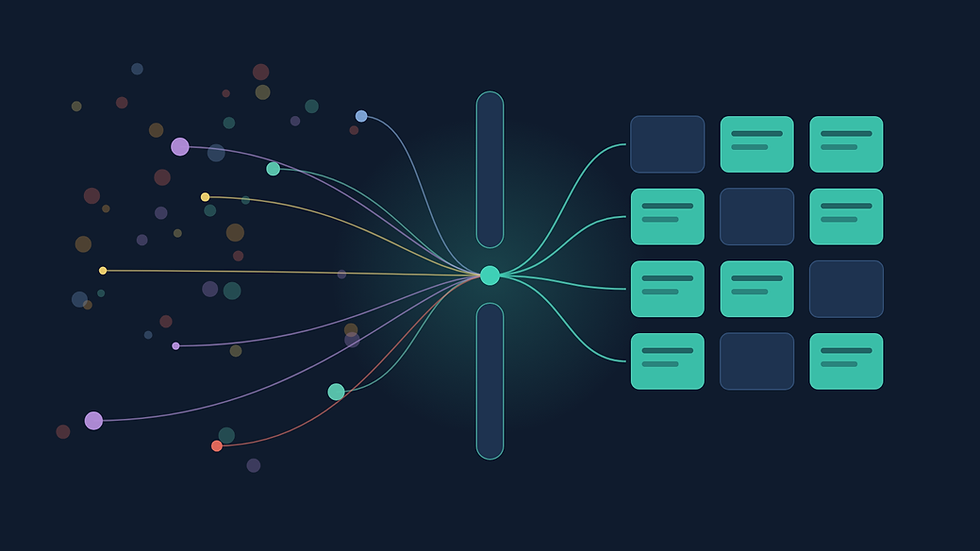
Because it's all in one place, any AI tool that supports MCP, including Claude, ChatGPT, and Gemini, can read it together. MCP (Model Context Protocol) is an open standard that lets AI tools securely read and work with your TATracker data. Ask your AI assistant to source for a search, and it works from the full, current picture rather than a job description written six weeks ago.
The result is sourcing that reflects what the hiring manager wants today, not what they said at kickoff. It also means every update your team records pays off. Each note and each spec change sharpens the next round of candidates.
Works with Claude, ChatGPT, Gemini, and any MCP-enabled AI tool
Specs aren't limited to the TATracker screen. Through the same MCP connection, you can create and update them from Claude, ChatGPT, Gemini, or any AI tool with an MCP connection, in plain language.
Fill in Specs from a conversation. Paste in your intake call notes or a client email and ask the assistant to update the search's Specs.
Add sections and fields on the fly. If a search needs something your template doesn't cover, such as board experience or a security clearance, ask the assistant to add a new section or field and fill it in.
Keep Specs current as things change. When a hiring manager shifts priorities, tell the assistant once and the search record reflects it.
That means less clicking through forms, and Specs that stay accurate because updating them takes seconds.
AI-tailored outreach to candidates and clients
Specs don't just help you find the right people. They help you reach them with the right message.
Add a "how to sell" section to your templates:
On a Search, capture how to sell the opportunity to candidates: why the role is compelling, what sets the company apart, the growth story, and the comp highlights worth leading with.
On a Sales Pipeline, capture how to sell to decision makers: the client's priorities, the case for your candidate or your firm, and why now.
Your AI tool reads those sections alongside the rest of the Specs and Notes, then tailors outreach to each person. A candidate hears about what matters for their career. A decision maker gets a pitch tied to their business.
It can then create the matching email templates and workflows directly in TATracker. Your team reviews and adjusts them where they already work, the messaging stays consistent across recruiters, and when the Specs change, the outreach can change with them.
AI auto-fill from job descriptions and intake notes
When you create a Search or Job Posting, you can upload the job description and any supporting documents (PDF, Word, or text). You can also add Search Context: the client preferences, must-haves, and details that came up on the intake call but never made it into the JD.
TATracker reads all of it and fills in your Specs automatically. You can watch it work field by field, and when it finishes you have a structured draft ready to review rather than a blank form.
A few things we were deliberate about:
It leaves fields blank rather than guessing. If the JD never mentions commission, the commission field stays empty. You won't have to second-guess invented numbers.
You stay in control. You choose which documents feed the AI. A fee agreement or reference file can live on the Documents tab without shaping the Specs.
It keeps up as the search evolves. When documents or notes change, TATracker flags it, and one click regenerates the Specs from the latest information.
The goal isn't to replace recruiter judgment. It's to remove the retyping, so the time goes into reviewing and refining instead of transcribing.
Custom templates for how your firm recruits
No two firms run a search the same way, so Specs are built from templates you control in Settings. A retained executive search might track board reporting lines and equity. A contract role might focus on rate and start date. You decide which sections and fields each template includes, and which fields the AI should try to fill.
Set a default template and it's pre-selected every time someone creates a search. Need something different for a specific role? Pick another template, add a section on the spot, or add custom fields right from the Specs panel. Changes on one search never touch your templates, and template updates never overwrite a search already in progress.
Specs for business development and MPC pitches
Specs work on Sales Pipelines too, where there's usually no job description to start from. For an MPC (Most Placeable Candidate) pitch, start from a template or copy the Specs from an existing pipeline, then fill in the pitch yourself. Every recruiter works from the same structure, and your AI tool gets what it needs to tailor outreach to decision makers.
Getting started
Go to Settings and open Spec Templates. Review the standard template, adjust it, or build your own, and set your default.
Create your next Search or Job Posting and choose to upload documents. Add any context from your intake call.
Open the Specs tab, review what the AI filled in, and refine anything that needs a human touch.
Connect TATracker to your AI tool of choice through MCP, then ask it to source for a search and draft outreach using its Specs, Notes, and emails.
Already have searches underway? Open the Specs tab on any of them, pick a template, and add documents whenever you're ready. Specs work just as well on a search that's three weeks in as on one that started today.
We built Specs because the details that define a search deserve better than a scattered set of notes, and because great sourcing starts with knowing exactly what the client wants. We think it'll save your team real time, and we'd love to hear how you put it to work.
Frequently asked questions
What is TATracker?
TATracker is an applicant tracking system (ATS) and recruiting CRM for boutique recruiting firms. It brings searches, job postings, candidates, contacts, companies, and sales pipelines into one place.
Which AI tools work with TATracker?
Any AI tool that supports MCP (Model Context Protocol), including Claude, ChatGPT, and Gemini. Once connected, your AI tool can read and update a search's Specs, Notes, and related records.
Can AI create new Specs sections and fields?
Yes. Through MCP, you can ask your AI tool in plain language to add a section or field to a search's Specs and fill it in.
Can AI write recruiting outreach from Specs?
Yes. Add a "how to sell" section to a Search or Sales Pipeline, and your AI tool can tailor outreach to candidates or decision makers. It can also create the matching email templates and workflows in TATracker.
Does the AI replace recruiters?
No. It drafts and organizes so recruiters spend less time retyping. Recruiters review, refine, and make the calls. When a document doesn't mention something, the AI leaves the field blank rather than guessing.
How is this different from a typical ATS?
Many ATS platforms store role details as free text in a description field or scattered notes. Specs structures that information and connects it to the AI tools your team already uses, so sourcing and outreach run on the current picture of the search.


Comments